Yizzi Cam Mod V2 for Gorilla Tag — Complete Camera & Streaming Guide
What Is Yizzi Cam Mod V2?
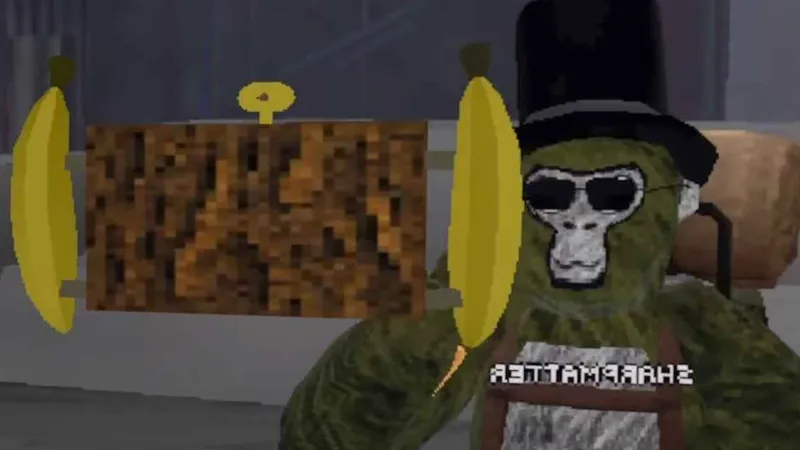
The Yizzi Cam Mod V2 is widely considered the gold standard third-person spectator camera plugin for Gorilla Tag content creators, TikTokers, and streamers. While standard VR gameplay records whatever erratic, shaking head movements your VR headset makes, YizziCam creates a smooth, stabilized secondary camera in virtual space that projects cleanly onto your desktop monitor and OBS Studio.
With YizziCam, you can capture wide cinematic third-person angles, smooth shoulder follows, or mount an in-game handheld selfie camera to speak directly to your audience while running through custom maps.
Core Features & Recording Modes
- Handheld Selfie Camera: Spawns a physical virtual camera model that you can grab with your hand and point at yourself while talking.
- Smooth Follow Camera: Floats steadily behind your monke avatar at an adjustable distance, smoothing out sudden head tilts and jumps.
- Adjustable FOV & Smoothing: Use desktop hotkeys or the VR tablet interface to change Field of View (from 60° cinematic to 110° wide action) and adjust motion dampening.
- Green Screen & Chroma Key Backdrops: Toggle an optional flat color backdrop to cut out your monke avatar for YouTube video thumbnails.
- OBS Studio Friendly: Streams directly to your desktop game mirror window without requiring extra capture cards.
How to Control Yizzi Cam in VR
- Grab / Reposition Camera: Reach out your controller toward the floating camera model and hold down your Grip Trigger. Move it to any position in 3D space and release the grip to lock it in place.
- Cycle Camera Modes: Tap the red button on the back of the camera model to switch between Follow Mode, Selfie Mode, and Free-Floating Stationary Mode.
- Desktop Keyboard Controls:
NumPad 8 / 2: Adjust camera elevation up / downNumPad 4 / 6: Pan camera left / rightNumPad + / -: Zoom Field of View in / out
PC VR Installation Instructions
- Ensure BepInEx 5.4.21+ is installed on your PC.
- Download
YizziCamModV2.dllfrom the official link below. - Open your Gorilla Tag installation directory:
C:\Program Files (x86)\Steam\steamapps\common\Gorilla Tag\BepInEx\plugins\ - Drag and drop
YizziCamModV2.dlldirectly into theplugins/folder. - Launch Gorilla Tag through Steam. Look at your PC monitor—you will see the stabilized spectator camera view ready for OBS capture.
Frequently Asked Questions
Does YizziCam give any competitive advantage?
Why is my game dropping FPS with YizziCam active?
Ready to Download?
Click below to go to the official verified repository for this mod. We only link to authorized releases on GitHub, mod.io, or Nexus Mods.
You Might Also Like
BepInEx for Gorilla Tag — Download & Install Guide
Download BepInEx for Gorilla Tag for free. The essential mod loader for PC VR players. Read our step-by-step setup and installation guide.
Computer Interface for Gorilla Tag — Download & Install Guide
Download Computer Interface for Gorilla Tag for free. Upgrade your in-game terminal with custom pages, mod configs, and custom layouts.
Destructible Forest for Gorilla Tag — Download & Install Guide
Download Destructible Forest for Gorilla Tag for free. Read our step-by-step setup guide and access direct download links for tools.