Utilla for Gorilla Tag — Download & Install Guide
What Is Utilla?
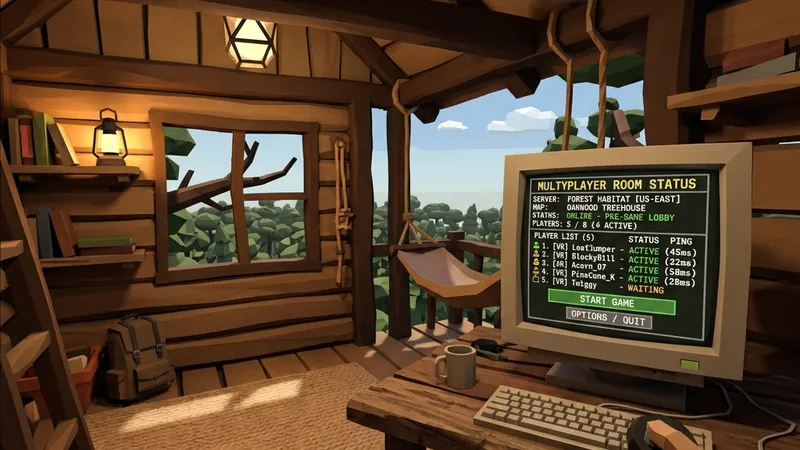
Utilla is a foundational library mod for Gorilla Tag that acts as a middleman between BepInEx and other gameplay modifications. While BepInEx manages the raw code injections, Utilla provides specific, game-aware tools that help other mods understand what is happening inside the Gorilla Tag world. Its primary role is to detect when you join public matches and automatically shut off potentially disruptive mods, protecting you from getting banned and ensuring a fair environment for everyone.
For mod developers, Utilla is a vital tool that simplifies the creation of custom game modes, private lobbies, and networking events. For players, it is a mandatory dependency. If a mod requires Utilla, you must install it, or the mod will fail to launch entirely. It is the framework that enables the “Modded Lobbies” category inside Gorilla Tag, directing modded players into their own dedicated servers.
What Does Utilla Add to Gorilla Tag?
Utilla works entirely under the hood. It does not introduce visible cosmetics or menu interfaces, but it adds crucial infrastructure:
- Modded Room Segregation: Keeps modded players away from vanilla queues by automatically routing them to custom private/modded servers.
- Lobby Join and Leave Events: Provides reliable callbacks to other plugins, allowing mods to reset states, disable cheats, or load cosmetics the instant you switch servers.
- Custom Game Mode Support: Enables developers to register custom game modes (like Monke Paintball, Hide and Seek, or infection variations) directly on the computer terminal.
- Anti-Ban Protection layer: Functions as a gatekeeper, sending shutdown commands to registered mod menus if it detects you have entered a standard, unmodded public room.
Is Utilla Safe to Use?
Utilla is completely safe to download and use, as long as you get it from verified community repositories. It contains no malicious code and is maintained by the most active developers in the Gorilla Tag PC modding scene.
In terms of ban risks, Utilla is actually designed to reduce your chance of getting banned. By enforcing the segregation between vanilla public queues and modded custom lobbies, Utilla acts as a protective shield. However, the system is not infallible. If you manually bypass Utilla’s checks or install poorly coded mods that do not respect Utilla’s API, you still risk getting flagged by the game’s anti-cheat. Always play responsibly and check your lobby status.
How to Install Utilla on Gorilla Tag
Here are the step-by-step guides for installing Utilla on both PC VR (Steam) and Standalone Meta Quest headsets.
On PC (Steam / VR Link)
Ensure BepInEx is already installed on your system before proceeding.
- Locate your plugins directory: Navigate to your Gorilla Tag installation path, typically:
C:\Program Files (x86)\Steam\steamapps\common\Gorilla Tag\BepInEx\plugins\. - Download the Utilla file: Click the download button at the bottom of this page to go to the official verified repository. Download the latest
Utilla.dllfile. - Copy the file: Copy or move the downloaded
Utilla.dllfile directly into yourBepInEx\plugins\folder. - Verify installation: Launch Gorilla Tag. In the BepInEx terminal log window, search for logs containing the text
[Info : Utilla]to confirm it has loaded successfully.
On Meta Quest (Standalone / QuestPatcher)
For Quest Standalone users, library support is bundled with custom installers:
- Connect your Meta Quest to your PC via a USB cable.
- Open QuestPatcher on your PC and click “Patch My Game”.
- Check the QuestPatcher mod catalog list. Because Utilla is a core requirement, it is typically pre-loaded or available with a single checkmark under the “Libraries” section.
- If downloading a standalone
.qmodfile for Utilla, drag it directly into the QuestPatcher main window. - Disconnect the USB cable and launch Gorilla Tag on your headset.
Compatibility
Utilla works in unison with BepInEx on PC VR setups. It requires BepInEx 5.0 or newer and works with standard Steam VR builds.
Works on:
- Valve Index, HTC Vive, Oculus Rift, Meta Quest (via Link/AirLink/Virtual Desktop)
- Steam VR versions of Gorilla Tag
Compatibility Notes:
- If you update Gorilla Tag, make sure to check if an updated version of Utilla is required. An outdated Utilla file can prevent the entire game from starting or freeze the computer terminal in the treehouse.
Frequently Asked Questions
Why am I getting a 'Missing Dependency' error for Utilla?
Does Utilla allow me to play in public vanilla lobbies with mods?
How can I tell if Utilla is active in-game?
Last updated: August 2026
Ready to Download?
Click below to go to the official verified repository for this mod. We only link to authorized releases on GitHub, mod.io, or Nexus Mods.
You Might Also Like
BepInEx for Gorilla Tag — Download & Install Guide
Download BepInEx for Gorilla Tag for free. The essential mod loader for PC VR players. Read our step-by-step setup and installation guide.
Computer Interface for Gorilla Tag — Download & Install Guide
Download Computer Interface for Gorilla Tag for free. Upgrade your in-game terminal with custom pages, mod configs, and custom layouts.

Destructible Forest for Gorilla Tag — Download & Install Guide
Download Destructible Forest for Gorilla Tag for free. Read our step-by-step setup guide and access direct download links for tools.