SPOOKY GAMES – Gorilla Tag Gamemode by FormerCow495560

Mod Previews & Screenshots


SPOOKY GAMES comes from mod.io creator FormerCow495560. It’s a large gamemode for the official Gorilla Tag custom map system. The creator’s one-line pitch: “very spooky” The mod.io tags put it under challenge, competitive, minigames.
SPOOKY GAMES: what the creator describes
Here’s how FormerCow495560 describes it on the listing:
WELCOME BACK TO SPOOKY GAMES!
SPOOKY GAMES IS A HALLOWEEN MAP, CURRENTLY CONSISTING OF 3 GAMEMODES. CAN YOU FIND THE WAY OUT OF THE MAZE? CAN YOU CHILL OUT IN THE ISLANDS? CAN YOU REACH THE TOP WITHOUT BEING CAUGHT BY THE LAVA?
At a glance
- Creator: FormerCow495560 (mod.io/g/gorilla-tag/u/formercow495560)
- Official page: mod.io/g/gorilla-tag/m/spooky-games
- Current file version: 4 Maze Level 2
- Went live on mod.io: October 26, 2025
- Last updated: October 27, 2026
- Download size: about 166 MB
- Map size tag: Large
- Player rating: Very Positive (86% positive from 537 ratings, checked October 28, 2026)
- Downloads: 31,850 total as of October 28, 2026
Loading SPOOKY GAMES in Gorilla Tag
Because it’s a mod.io gamemode, there’s nothing to sideload: Quest and PC players both get it through the in-game Virtual Stump.
- Open mod.io/g/gorilla-tag/m/spooky-games and hit Subscribe. Use the same mod.io login that your headset is linked to.
- Jump into the Virtual Stump from the green headsets in City’s Arcade.
- If the terminal says you’re not linked, enter the code it shows at mod.io/connect.
- Pick SPOOKY GAMES from the installed list on the maps terminal and load in. Expect a ~166 MB download the first time.
Custom maps aren’t available to accounts registered under 13.
Tips
- At around 166 MB this is one of the heavier downloads. On a Quest with little free storage, clear some space first or the load can fail.
- It’s tagged as a challenge/race map, so expect to restart sections. Learning one route properly beats rushing.
- With competitive or minigame tags, sessions play better when everyone has already loaded the map before the round starts.
- FormerCow495560 updated it recently (October 27, 2026), so if something feels different from a video you watched, that’s probably why.
More from FormerCow495560 on GTMods: BLISS (WINDOWS XP), DARK SWAMP, GORILLAPARK.
SPOOKY GAMES FAQ
Who made SPOOKY GAMES?
Does SPOOKY GAMES work on Quest?
How big is the SPOOKY GAMES download?
Why isn't SPOOKY GAMES showing up for me?
Ready to Download?
Click below to download this mod. Links point to the developer's official release (mod.io, GitHub) where available, or to an unmodified mirror of the original file when the official link is gone.
Recommended Modding Guides
Step-by-step tutorials to help you safely install, configure, and troubleshoot Gorilla Tag mods.
You Might Also Like
APE ARENA – Gorilla Tag Gamemode by Ghosstyy
APE ARENA by Ghosstyy: Fight other monke. Good luck. Tysm to ER9VR for the sick. Load it via the Virtual Stump on Quest and PC.

Banana Platforms Mod for Gorilla Tag – PC Install & Troubleshooting
Thinking of trying Banana Platforms Mod? Install steps for the Steam version, why standalone Quest can't run it, safer private-room use and common troubleshooting.
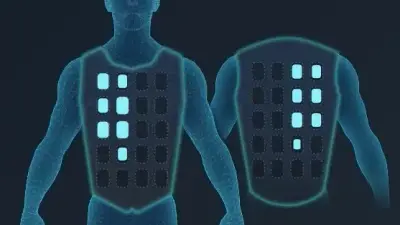
bHaptics Mod for Gorilla Tag – Feel Tags & Hand Hits (v3.0.1)
floh-bhaptics' Gorilla Tag integration (v3.0.1, Jan 2024) drives bHaptics vests and sleeves: heartbeat on start, hand and arm contact, being tagged, status changes.