Oculus Report Menu for Gorilla Tag PCVR – sirkingbinx Mod Guide

On Quest, Gorilla Tag players can pull up Meta’s report menu from anywhere. On Steam/PCVR you normally have to walk to the in-game board. OculusReportMenu, by sirkingbinx (the same developer who now maintains Utilla), closes that gap. It’s MIT-licensed, and the latest release is v2.4.0 (March 22, 2026).
How you open it
Press both secondary buttons (B and Y on Touch-style controllers) together and the report menu appears in front of you. Pick the player and the reason like you would on Quest.
Two loader builds
The release ships separate DLLs for BepInEx and MelonLoader. Use the one that matches your loader and put it in that loader’s plugins/Mods folder. Don’t install both.
Why it’s a reasonable mod to run
It doesn’t change movement or affect other players; it gives you the same reporting tool Quest players already have. That’s about as low-risk as Gorilla Tag mods get, though the community wiki’s caveat still applies: no mod is officially sanctioned.
Troubleshooting
- Nothing happens when pressing both buttons: check the loader log to confirm the DLL loaded, and make sure you’re on 2.4.0 if the game updated recently.
- Using a Quest over Link: you’re running the PC game, so this mod applies. On standalone Quest you already have the native menu.
Ready to Download?
Click below to download this mod. Links point to the developer's official release (mod.io, GitHub) where available, or to an unmodified mirror of the original file when the official link is gone.
Recommended Modding Guides
Step-by-step tutorials to help you safely install, configure, and troubleshoot Gorilla Tag mods.
You Might Also Like
APE ARENA – Gorilla Tag Gamemode by Ghosstyy
APE ARENA by Ghosstyy: Fight other monke. Good luck. Tysm to ER9VR for the sick. Load it via the Virtual Stump on Quest and PC.

Banana Platforms Mod for Gorilla Tag – PC Install & Troubleshooting
Thinking of trying Banana Platforms Mod? Install steps for the Steam version, why standalone Quest can't run it, safer private-room use and common troubleshooting.
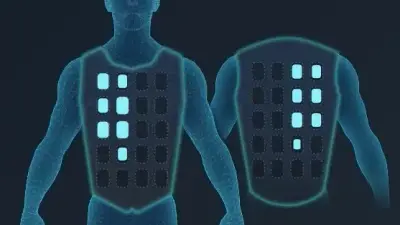
bHaptics Mod for Gorilla Tag – Feel Tags & Hand Hits (v3.0.1)
floh-bhaptics' Gorilla Tag integration (v3.0.1, Jan 2024) drives bHaptics vests and sleeves: heartbeat on start, hand and arm contact, being tagged, status changes.