Gorilla Tag Kick Gun Mod Menu V6 for Gorilla Tag — Features & Safe Setup
What Is Gorilla Tag Kick Gun Mod Menu V6?
The Kick Gun Mod Menu V6 is a custom sandbox gameplay utility designed for private room experiments and minigames. Unlike basic utility tools, this plugin equips your virtual hand with an interactive aim-and-launch projectile trigger. Originally inspired by custom Garry’s Mod physics guns, it allows room hosts to interact with spawnable physical props, target practice targets, and test collision mechanics in custom arenas.
In this updated V6 release, the menu system has been redesigned with a dedicated wrist-attached HUD, allowing players to toggle projectile velocity, adjust particle color trails, and configure safety overrides.
Detailed Features & Controller Keybindings
- Wrist HUD Trigger: Hold down your Left Controller Secondary Grip (B/Y button) to project the interactive menu over your virtual palm.
- Physical Kick Impulses: Point your right controller and pull the primary index trigger to project localized physics impulses toward sandbox objects.
- Adjustable Impulse Force: Use the on-screen slider to dial between low-gravity nudge and high-velocity launch modes.
- Trail FX Customizer: Choose from neon green, purple void, or electric fire projectile particle aesthetics.
- Utilla Lobby Lock: Built-in safety hook that disables impulse firing whenever a vanilla public match is detected.
Critical Safety Warning & Fair Play Compliance
Using any form of physics manipulation or impulse triggers in public matchmaking lobbies is strictly prohibited by Another Axiom. If you use Kick Gun impulses against unmodded players in public infection, hunt, or casual rooms, you will be reported and face an immediate matchmaking ban.
Mandatory Safety Checklist:
- Only launch this mod when joined into a private custom room code with friends.
- Confirm that your treehouse terminal displays the green
MODDEDlobby status. - Keep the mod disabled when queuing for public competitive matches.
Installation Guide for PC VR (Steam)
- Ensure BepInEx 5.4.21+ and Utilla are installed and functional in your game directory.
- Download
gorilla-tag-mod-menu-v6.dllusing the verified link below. - Open your Gorilla Tag folder:
C:\Program Files (x86)\Steam\steamapps\common\Gorilla Tag\BepInEx\plugins\ - Place
gorilla-tag-mod-menu-v6.dlldirectly into theplugins/folder. - Launch Gorilla Tag via SteamVR. Press your left controller grip inside a private lobby to toggle the interface.
Frequently Asked Questions
Does Kick Gun Mod Menu V6 work on standalone Quest?
How do I change the default keybinding?
Ready to Download?
Click below to go to the official verified repository for this mod. We only link to authorized releases on GitHub, mod.io, or Nexus Mods.
You Might Also Like
APE ARENA for Gorilla Tag — Download & Install Guide
Download APE ARENA for Gorilla Tag for free. Read our step-by-step setup guide and access direct download links for gameplay.

Banana Platforms Mod for Gorilla Tag — Download & Install Guide
Download Banana Platforms Mod for Gorilla Tag for free. Read our step-by-step setup guide and access direct download links for gameplay.
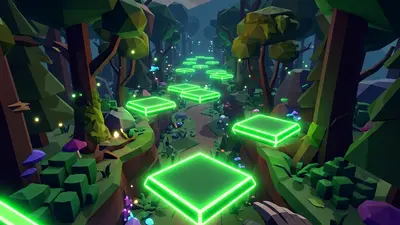
Bark Mod for Gorilla Tag — Download & Install Guide
Download Bark Mod for Gorilla Tag for free. The ultimate gameplay and utility mod featuring spectator cameras, platforms, and custom cosmetics.