Custom Platforms Manager for Gorilla Tag — Hand Platforms & Aesthetics
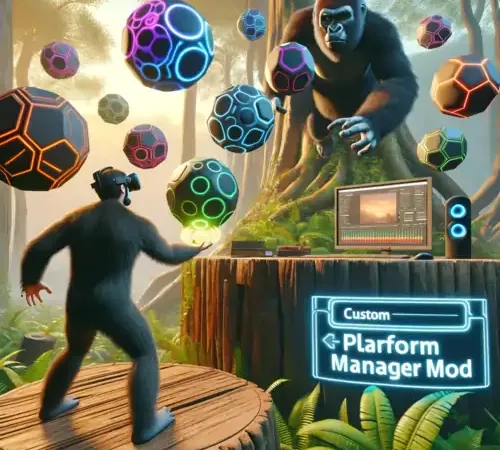
What Is Custom Platforms Manager?
The Custom Platforms Manager is one of the most famous sandbox mechanics in Gorilla Tag modding history. In vanilla Gorilla Tag, if you fall off a branch into empty space, gravity inevitably pulls you down to the forest floor.
With Custom Platforms enabled, whenever you squeeze the controller grip on your left or right hand, a solid virtual platform spawns directly beneath your palm. This allows you to walk, stand, and climb in mid-air, creating infinite air stairs and skywalks inside private custom lobbies.
Key Customization Features & Materials
- Independent Dual-Hand Spawning: Squeeze the left grip to spawn a left platform; squeeze the right grip for a right platform. Alternating grips lets you climb infinitely into the sky.
- Customizable 3D Geometries: Choose between square floor tiles, banana shapes, frosted glass circles, or cyberpunk grid blocks.
- Color & Material Selector:
- Solid Neon Colors (Lime Green, Cyan, Magenta)
- Translucent Holographic Glass
- Rainbow RGB Color Cycling
- Stick / Sticky Platform Mode: Optional setting that locks your hand firmly to the platform until released, preventing slipping during fast movements.
Anti-Cheat Rules: Strict Private Room Requirement
Using platforms in public matchmaking will result in an immediate account ban. Standing in mid-air or walking over vanilla players in public infection lobbies is immediately visible to everyone and is one of the most frequently reported offenses.
Compliance Checklist:
- Only squeeze platform triggers inside private custom lobbies with friendly consenting players.
- Ensure Utilla is active to automatically suppress platforms in official public queues.
PC VR Installation Instructions
- Ensure BepInEx 5.4.21+ and Utilla are active in your game folder.
- Download
CustomPlatformsManager.dllfrom the link below. - Move
CustomPlatformsManager.dllinto:Gorilla Tag\BepInEx\plugins\ - To customize colors and platform shapes, open
BepInEx\config\CustomPlatforms.cfgin a text editor.
Ready to Download?
Click below to go to the official verified repository for this mod. We only link to authorized releases on GitHub, mod.io, or Nexus Mods.
You Might Also Like
APE ARENA for Gorilla Tag — Download & Install Guide
Download APE ARENA for Gorilla Tag for free. Read our step-by-step setup guide and access direct download links for gameplay.

Banana Platforms Mod for Gorilla Tag — Download & Install Guide
Download Banana Platforms Mod for Gorilla Tag for free. Read our step-by-step setup guide and access direct download links for gameplay.
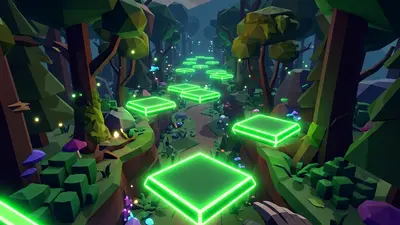
Bark Mod for Gorilla Tag — Download & Install Guide
Download Bark Mod for Gorilla Tag for free. The ultimate gameplay and utility mod featuring spectator cameras, platforms, and custom cosmetics.