Computer++ Mod for Gorilla Tag – Enhanced Computer by KyleTheScientist

Computer++ is KyleTheScientist’s replacement for the vanilla computer terminal. It was released in December 2023 (v1.0.1), and the repository is now archived.
What it adds
- Turn mods on and off from the in-game computer without leaving VR.
- Custom wallpaper: put a PNG called
wallpaper.pnginGorilla Tag/BepInEx/plugins/ComputerPlusPlus. - Screens from other mods: developers can implement the
ComputerPlusPlus.IScreeninterface and their screen appears automatically. Gorilla Vehicles, for example, uses Computer++ to pick cars.
Install
BepInEx and Utilla first, then drop ComputerPlusPlus-v1.0.1.dll into plugins.
Heads-up
Because it’s archived and built in 2023, a recent game update may break it. Mods that need it (like StreamOverlaysV2 or Gorilla Vehicles) inherit that problem. Check the BepInEx log first if the computer looks normal after installing.
Ready to Download?
Click below to download this mod. Links point to the developer's official release (mod.io, GitHub) where available, or to an unmodified mirror of the original file when the official link is gone.
Recommended Modding Guides
Step-by-step tutorials to help you safely install, configure, and troubleshoot Gorilla Tag mods.
You Might Also Like
APE ARENA – Gorilla Tag Gamemode by Ghosstyy
APE ARENA by Ghosstyy: Fight other monke. Good luck. Tysm to ER9VR for the sick. Load it via the Virtual Stump on Quest and PC.

Banana Platforms Mod for Gorilla Tag – PC Install & Troubleshooting
Thinking of trying Banana Platforms Mod? Install steps for the Steam version, why standalone Quest can't run it, safer private-room use and common troubleshooting.
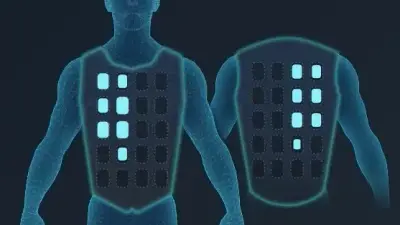
bHaptics Mod for Gorilla Tag – Feel Tags & Hand Hits (v3.0.1)
floh-bhaptics' Gorilla Tag integration (v3.0.1, Jan 2024) drives bHaptics vests and sleeves: heartbeat on start, hand and arm contact, being tagged, status changes.