Xandre Beta Mod Menu for Gorilla Tag – Install, Safety & Fixes
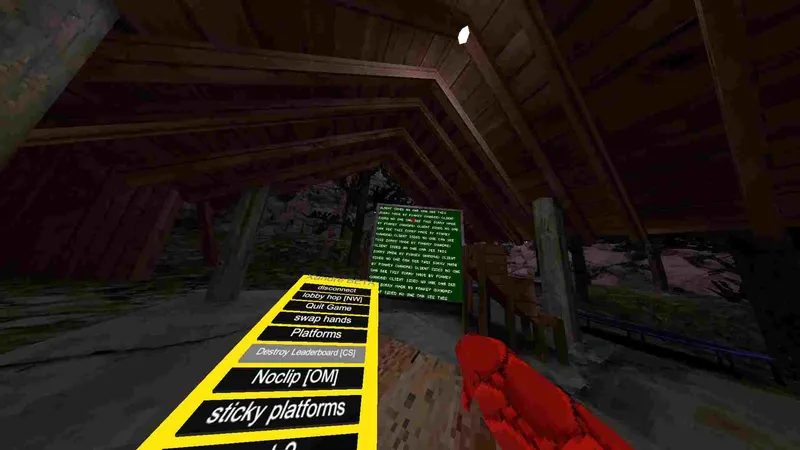
Xandre Beta Mod Menu is one of the many PC mod menus that circulate in the Gorilla Tag community, mostly through Discord servers and YouTube showcase videos. We couldn’t find an official source page, changelog or verified author for it, so rather than repeat claims nobody can check, this page covers what you actually need to know before running it.
Installing a PC plugin like this
Drop the DLL into BepInEx/plugins, not the game root. BepInEx has to be there first: extract the x64 zip next to Gorilla Tag.exe and launch once so the folders get created. If the mod expects Utilla, install a current Utilla build. Older Utilla versions no longer load on the current game.
Malware warning
Be careful where the file comes from. The community wiki warns that some menus passed around as free downloads have been RATs (remote-access trojans). A real menu is a single DLL; an installer .exe or a “key system” is a red flag.
Will it get you banned?
Yes, it can. Another Axiom’s terms prohibit cheating, and features that affect other players are exactly what reports and the anti-cheat flag. Steam forum threads are full of people banned while running an “anti-report” option. Joining a Modded gamemode separates you from regular players, but the wiki notes reporting and anti-cheat work the same there.
If you try it at all, do it on a spare account, in a private room code, with nobody else in it.
Troubleshooting
- Only works in some rooms: Mods built on Utilla only switch on in modded gamemodes. That’s intended.
- Game crashes on launch: Move everything out of
pluginsand add mods back one at a time. BepInEx 5.4.22 and older crash on the current game, so update to 5.4.23.x. - Worked last week, broken now: A Gorilla Tag update most likely changed something the mod hooks into. Unmaintained mods don’t get fixed; remove it and check for a newer build.
- Nothing happens in-game: Check
BepInEx/LogOutput.log. If the plugin isn’t mentioned, it isn’t loading: wrong folder, missing dependency, or a build made for an older game version.
Does it work on Quest?
It’s PC-only. Quest players can use it only when playing the Steam version through a cable or wireless PC link. Nothing installs on the headset itself.
Xandre Beta Mod Menu FAQ
Why doesn't this page list features?
Is there a version for standalone Quest?
Ready to Download?
Click below to download this mod. Links point to the developer's official release (mod.io, GitHub) where available, or to an unmodified mirror of the original file when the official link is gone.
Recommended Modding Guides
Step-by-step tutorials to help you safely install, configure, and troubleshoot Gorilla Tag mods.
You Might Also Like
AZ Menu for Gorilla Tag – PC Setup and Honest Risks
AZ Menu is a fan-made Gorilla Tag PC mod with no verified official source. Here's how it loads with BepInEx, Quest vs Steam limits, where to use it safely, and fixes.
Bark Mod for Gorilla Tag by KyleTheScientist – All Modules & Install
Bark by KyleTheScientist adds a summonable 3D menu with fly, grapple, wall run, potions and more, only in modded lobbies. Full module list and install for v1.5.1.
BARK ❷ [V1.0.3] – Gorilla Tag Gamemode by Silvaz_
BARK ❷ [V1.0.3] by Silvaz_: [UNOFFICIAL] Bark menu by KyleTheScientist ported to. Load it via the Virtual Stump on Quest and PC.