AZ Menu V6.5 for Gorilla Tag — Features, Private Lobby Rules & Guide
What Is AZ Menu V6.5?
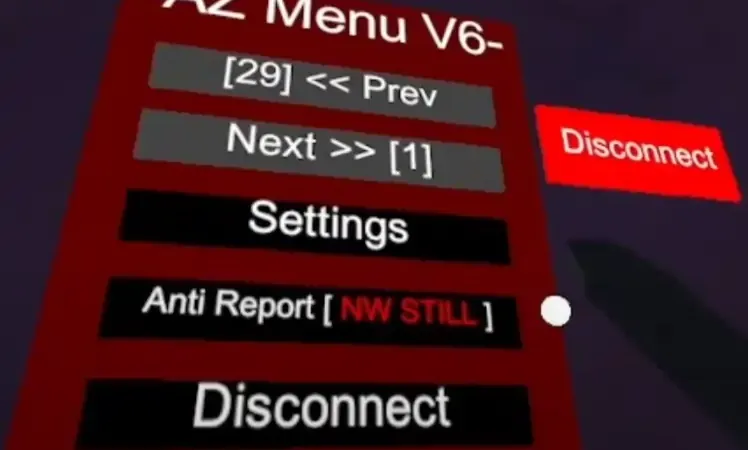
The AZ Menu V6.5 is a comprehensive developer and sandbox option dashboard for Gorilla Tag. Designed primarily for content creators, private room hosts, and parkour route testers, AZ Menu consolidates multiple diagnostic tools, camera perspective options, and physics experiments into a clean floating virtual tablet.
In version 6.5, the menu introduces an updated tactile button system with haptic feedback vibrations when touching buttons in VR, an integrated room code display, and an automatic lobby safety lock.
Key Features & Built-In Controls
- Tactile Floating UI: Press the secondary menu button on your Left Controller (typically Y button) to open the floating control tablet in 3D space.
- Perspective Camera Toggles: Switch between first-person, smooth follow third-person, and static orbit angles for cinematic recording.
- Custom Room Telemetry: View live frame rate, network ping to Photon servers, and player count inside your current room.
- Physical Sandbox Controls: Toggle platform aids, customize hand color glows, and adjust gravity scaling in offline testing mode.
- Emergency Panic Button: Press both thumbsticks simultaneously to instantly terminate all active mod hooks and return avatar physics to pure vanilla state.
Anti-Cheat & Ban Warning
DO NOT use this menu in public matchmaking lobbies. Another Axiom monitors public lobbies for speed modifications, flight scripts, and non-standard network packets. Using AZ Menu features in public rooms will result in player reports and an automated matchmaking ban.
Rules for Safe Usage:
- Only launch AZ Menu when connected to a private lobby with friends.
- Verify that Utilla is active to enforce room separation.
- Keep the menu closed and disabled when entering standard public games.
PC VR Installation Instructions
- Ensure BepInEx 5.4.21+ and Utilla are installed in your game directory.
- Download
az-menu-v6-5.dllusing the link below. - Move the file to:
C:\Program Files (x86)\Steam\steamapps\common\Gorilla Tag\BepInEx\plugins\ - Launch Gorilla Tag through SteamVR.
- In a private room, press the Y button on your left controller to open the tablet.
Frequently Asked Questions
Why doesn't the menu open when I press the button?
Can I configure button colors and layout?
Ready to Download?
Click below to go to the official verified repository for this mod. We only link to authorized releases on GitHub, mod.io, or Nexus Mods.
You Might Also Like
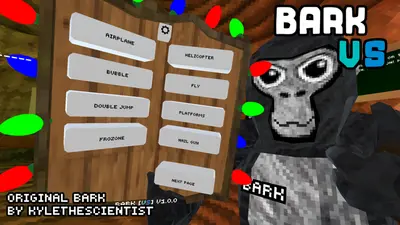
BARK ❷ for Gorilla Tag — Download & Install Guide
Download BARK ❷ for Gorilla Tag for free. Read our step-by-step setup guide and access direct download links for menus.

for Gorilla Tag — Download & Install Guide
Download for Gorilla Tag for free. Read our step-by-step setup guide and access direct download links for menus.

for Gorilla Tag — Download & Install Guide
Download for Gorilla Tag for free. Read our step-by-step setup guide and access direct download links for menus.