Space Client Mod Menu for Gorilla Tag — Low-Gravity & Private Testing Guide
What Is Space Client Mod Menu?
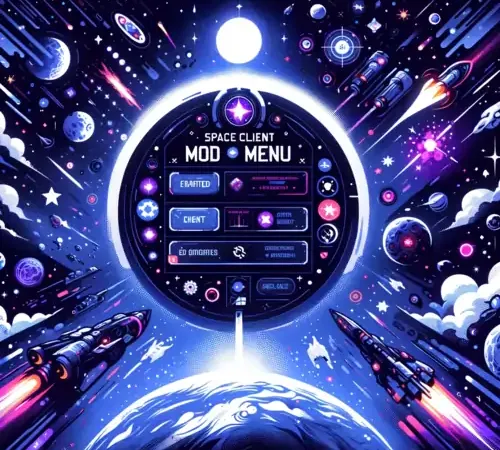
The Space Client Mod Menu is a specialized physics and environmental sandbox utility created for Gorilla Tag players who enjoy exploring zero-G and lunar physics. Inspired by low-gravity custom maps like Space Raft, Space Client allows private room hosts to tweak gravity multipliers, jump air resistance, and arm velocity vectors in real-time.
Instead of permanently modifying game files, Space Client operates through dynamic memory hooks, allowing you to test how different planetary physics would feel inside the virtual Gorilla Tag treehouse.
Core Features & Simulation Modes
- Orbital Gravity Presets: Switch instantly between Earth (1.0G), Moon (0.16G), Mars (0.38G), and Zero-Gravity orbital drift.
- Air Resistance Dampening: Adjust how quickly your monke avatar decelerates when launching off tall branches.
- Hand Thruster Simulation: Hold controller secondary triggers to simulate gentle cold-gas thruster propulsion for micro-adjustments in mid-air.
- HUD Telemetry Display: Real-time on-screen telemetry showing your current linear speed (meters per second) and vertical altitude.
- Full Utilla Integration: Built-in safeguards automatically disengage physics overrides whenever joining standard vanilla lobbies.
Safety Guidelines & Account Protection
Altering player velocity or gravity in public multiplayer lobbies is strictly forbidden and will result in automated account bans from Another Axiom’s anti-cheat server watchers.
Safety Protocols:
- Only activate Space Client within private custom room codes.
- Never join public infection or casual matchmaking while physics modifiers are toggled active.
- Keep the mod disabled when playing official competitive queues.
Installation Guide for PC VR (Steam)
- Ensure you have BepInEx 5.4.21+ and Utilla configured in your Gorilla Tag folder.
- Download
SpaceClient.dllfrom the verified link below. - Move
SpaceClient.dllinto:Gorilla Tag\BepInEx\plugins\ - Launch Gorilla Tag through SteamVR. Inside a private custom room, hold down your left controller grip to open the orbital telemetry menu.
Ready to Download?
Click below to go to the official verified repository for this mod. We only link to authorized releases on GitHub, mod.io, or Nexus Mods.
You Might Also Like
AZ Menu V6.5 for Gorilla Tag — Features, Private Lobby Rules & Guide
Download AZ Menu V6.5 for Gorilla Tag. Complete feature breakdown, controller binds, private room safety rules, and installation steps.
BARK ❷ for Gorilla Tag — Download & Install Guide
Download BARK ❷ for Gorilla Tag for free. Read our step-by-step setup guide and access direct download links for menus.

for Gorilla Tag — Download & Install Guide
Download for Gorilla Tag for free. Read our step-by-step setup guide and access direct download links for menus.