PlayFab Menu for Gorilla Tag — Download & Install Guide
What Is PlayFab Menu?
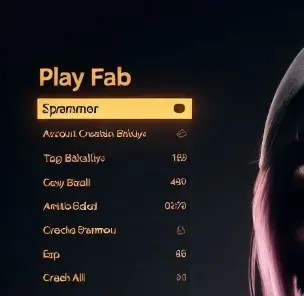
The PlayFab Menu is a popular custom utility and option controller designed for Gorilla Tag players. In GTAG, mod menus allow players to consolidate multiple gameplay tweaks, cheats, movement modifiers, and cosmetics into a single floating interface. Instead of loading multiple independent files, PlayFab Menu offers a consolidated dashboard that can be easily toggled inside the virtual environment.
Developed as a community-driven project, this menu features a highly responsive control pad, customized buttons, and color schemes. When you launch this mod, it hooks directly into the Unity game framework, overlays a menu on your left or right hand controller, and allows you to select options on the fly. It is particularly popular in private lobbies and training queues.
What Does PlayFab Menu Add to Gorilla Tag?
- Comprehensive Toggle Dashboard: Consolidates flight, speed, gravity, and item options into a single layout.
- VR Controller Hand-Overlay: Easily access your menu by pressing your controller trigger or designated button.
- Custom Button Layouts: Large, responsive UI buttons that are easy to press even during high-intensity tag games.
- Active Code Hooks: Integrates seamlessly with BepInEx and Utilla to verify room parameters before loading.
Is PlayFab Menu Safe to Use?
Using mod menus like PlayFab Menu carries a high risk of matchmaking bans. Another Axiom anti-cheat rules strictly ban the use of third-party menus, flight scripts, or speed boosts in public lobbies. If you enter standard public queues with this menu active, other players will report you and your account will be banned from matchmaking. To remain safe:
- Always run this menu inside private lobbies or dedicated custom rooms.
- Ensure BepInEx logs do not show errors when injecting files.
- Keep the menu disabled when entering standard vanilla queues.
How to Install PlayFab Menu on Gorilla Tag
To cater to all setups, we have provided installation steps for both Steam PC VR configurations and standalone Meta Quest headsets.
On PC (Steam / VR Link)
- Ensure you have BepInEx and Utilla installed in your Gorilla Tag game directory.
- Download the
playfab-menu-download-for-gorilla-tag.dllfile using the official download button at the bottom of this page. - Navigate to your Steam installation folder:
C:\Program Files (x86)\Steam\steamapps\common\Gorilla Tag\BepInEx\plugins\. - Drag and drop the downloaded mod file into the
pluginsdirectory. - Launch Gorilla Tag through Steam. Press your VR controller button (typically the secondary trigger) to display the menu.
On Meta Quest (Standalone)
- Enable Developer Mode on your Meta Quest headset.
- Connect the headset to your PC via a Link/USB cable and open QuestPatcher.
- Select “Patch My Game” in the QuestPatcher interface.
- Download the Quest-compatible version of the menu (
.qmodformat). - Drag and drop the file directly into the QuestPatcher upload area to install.
- Launch Gorilla Tag standalone and toggle the menu inside your headset.
Compatibility
PlayFab Menu is regularly updated to maintain compatibility with the latest Gorilla Tag patches. Always download files from verified official sources.
Works on:
- Meta Quest 2 / Quest 3 (Standalone via QuestPatcher)
- Steam VR (Valve Index, HTC Vive, Oculus Link)
Frequently Asked Questions
How do I open the menu in VR?
Will I get banned immediately for using this menu?
Does this menu work on standalone Quest?
Download PlayFab Menu
[Download button is rendered by the Astro component from the downloadUrl frontmatter field]
Last updated: June 2026
Ready to Download?
Click below to go to the official verified repository for this mod. We only link to authorized releases on GitHub, mod.io, or Nexus Mods.
You Might Also Like
AZ Menu V6.5 for Gorilla Tag — Features, Private Lobby Rules & Guide
Download AZ Menu V6.5 for Gorilla Tag. Complete feature breakdown, controller binds, private room safety rules, and installation steps.
BARK ❷ for Gorilla Tag — Download & Install Guide
Download BARK ❷ for Gorilla Tag for free. Read our step-by-step setup guide and access direct download links for menus.

for Gorilla Tag — Download & Install Guide
Download for Gorilla Tag for free. Read our step-by-step setup guide and access direct download links for menus.