Gorilla Cosmetics Mod by legoandmars – Custom Hats & Materials (PC)
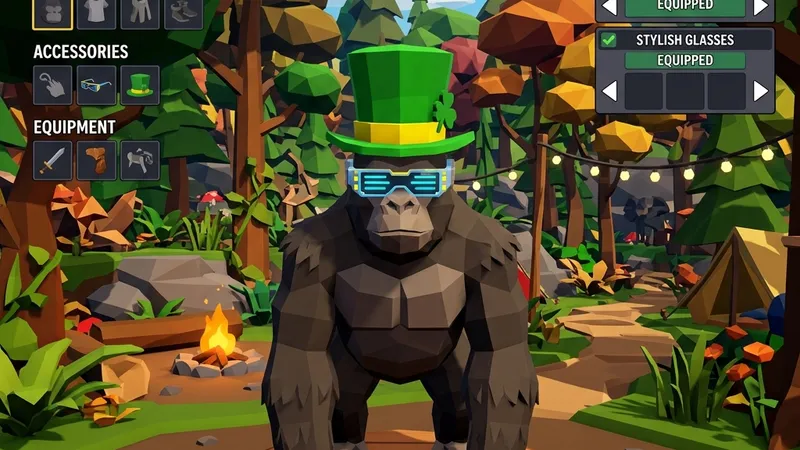
Gorilla Cosmetics is legoandmars’ PC mod for dressing up your gorilla with custom hats and materials (skins), chosen from a mirror that appears in-game. It’s purely visual, and by default you’re the only one who sees your look.
What you get
- Materials: the release ships with Default, Camo, Gold, Matrix and Rainbow, plus a separate infected material you show while tagged.
- Hats: comes with Amongus, Crown and Top Hat.
- In-game mirror for picking your hat and material.
- Community content: drop
.gmatfiles intoBepInEx/Materialsand.hatfiles intoBepInEx/Hats. - Unity project for anyone who wants to make their own (GorillaCosmeticsUnityProject on legoandmars’ GitHub).
Details
- Creator: legoandmars (github.com/legoandmars/GorillaCosmetics, MIT)
- Latest release: 3.0.2, August 8, 2022 (
GorillaCosmetics-3.0.2.zip) - Platform: PC / Steam only
- Requires: BepInEx, Utilla and Newtonsoft.Json
Install
The easy route is Monke Mod Manager, which pulls in the dependencies. Manually:
- Install BepInEx (x64) and run the game once.
- Install legoandmars’ Newtonsoft.Json release.
- Install Utilla.
- Extract the Gorilla Cosmetics zip directly into the Gorilla Tag folder.
The config file
After one launch with the mod, BepInEx/config/GorillaCosmetics.cfg appears. The settings worth knowing:
ApplyMaterialsToOtherPlayers,ApplyInfectedMaterialsToOtherPlayers,ApplyHatsToOtherPlayers: allfalseby default. Set them totrueand you’ll see other players wearing your choices, on your screen only.SelectedMaterial,SelectedInfectedMaterial,SelectedHat: what you have on. UseDefaultfor no hat.
Known limits
The last release is from 2022, long before several big Gorilla Tag updates. Expect it may not load on the current game without community fixes. Check the repo’s issues before troubleshooting your install. These cosmetics are local and aren’t the official shop cosmetics, so other players without the mod won’t see them.
FAQ
Can other players see my custom hat?
Where do downloaded hats go?
Ready to Download?
Click below to download this mod. Links point to the developer's official release (mod.io, GitHub) where available, or to an unmodified mirror of the original file when the official link is gone.
Recommended Modding Guides
Step-by-step tutorials to help you safely install, configure, and troubleshoot Gorilla Tag mods.
You Might Also Like
Comic Kev Badge – Gorilla Tag Custom Map by ametryxt
Comic Kev Badge by ametryxt: After a long time of waiting, Ametryxt presents: The Comic. Load it via the Virtual Stump on Quest and PC.
[FALL UPDT] Gorilla Tag but Low Quality – Gorilla Tag Map
[FALL UPDT] Gorilla Tag but Low Quality by FateVRGT: This is Gorilla Tag but the texture quality is EXTREMELY. Load it via the Virtual Stump on Quest and PC.
FOV Changer Mod for Gorilla Tag – How Wider FOV Works on PC
How Gorilla Tag FOV changer mods work on PC, with NachtsFOV as an open-source example (40–170 slider, F key), plus why wide FOV feels odd in VR and how to reset it.