FOV Changer Mod for Gorilla Tag – How Wider FOV Works on PC
FOV changers are among the most searched Gorilla Tag mods, but they’re also misunderstood. In VR, your field of view is set by the headset’s lenses and display. A mod can’t make you see more of the room through your eyes. What it changes is the game’s projection, which mostly matters for what’s rendered and recorded.
A documented example
We couldn’t verify the original author of the build listed on this page. For a recent, open-source FOV mod you can inspect, NachtsFOV (DxerkKrexd, released October 15, 2026) is a good reference:
- It uses Harmony to patch the headset’s XR projection.
- Press F to open its menu, which has a slider from 40 to 170.
- It defaults to 140, and the author warns that it feels very odd the first time. There’s a reset button.
- It needs BepInEx and Harmony. The author says it was partly made with AI assistance.
What to expect
- Distortion near the edges at high values. Some people get motion sick fast.
- For streamers and recordings, a moderate bump (100–120) is usually enough to look different without warping.
- It’s client-side and visual, but still unofficial. Keep to modded/private rooms.
Undo it
Use the mod’s reset, or delete its DLL from BepInEx/plugins and its config from BepInEx/config.
Ready to Download?
Click below to download this mod. Links point to the developer's official release (mod.io, GitHub) where available, or to an unmodified mirror of the original file when the official link is gone.
Recommended Modding Guides
Step-by-step tutorials to help you safely install, configure, and troubleshoot Gorilla Tag mods.
You Might Also Like
Comic Kev Badge – Gorilla Tag Custom Map by ametryxt
Comic Kev Badge by ametryxt: After a long time of waiting, Ametryxt presents: The Comic. Load it via the Virtual Stump on Quest and PC.
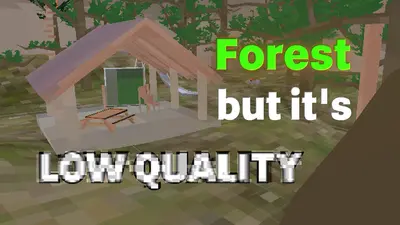
[FALL UPDT] Gorilla Tag but Low Quality – Gorilla Tag Map
[FALL UPDT] Gorilla Tag but Low Quality by FateVRGT: This is Gorilla Tag but the texture quality is EXTREMELY. Load it via the Virtual Stump on Quest and PC.

❷PotTheMan's GorillaCon❷ – Gorilla Tag Custom Map by PotTheMan
❷PotTheMan's GorillaCon❷ by PotTheMan: To Broke To go to Vidcon/GorillaCon? Then Here's A Custom. Load it via the Virtual Stump on Quest and PC.