The Simulation – Gorilla Tag Custom Map by Valvex

Mod Previews & Screenshots


The Simulation is a medium-sized custom map for Gorilla Tag, made by Valvex and published on mod.io. Its listing describes it simply as “Go see what’s left of the experiment. Watch out there might be something lurking in the shadows.” It’s tagged on mod.io as roleplay, hangout, so that’s the kind of session to expect.
Quick facts
- Creator: Valvex (mod.io/g/gorilla-tag/u/valvex)
- Official page: mod.io/g/gorilla-tag/m/the-simulation
- Went live on mod.io: November 1, 2024
- Last updated: August 7, 2026
- Download size: about 140 MB
- Map size tag: Medium
- Player rating: Very Positive (92% positive from 719 ratings, checked October 28, 2026)
- Downloads: 858,379 total as of October 28, 2026
How to play The Simulation
The Simulation doesn’t need BepInEx or any PC mod loader. It runs through the official mod.io integration, so it works on Quest and on Steam/PC VR.
- In City, walk into the Arcade and use a green VR headset; that takes you to the Virtual Stump.
- Not linked yet? The account screen in the Stump gives you a code to type in at mod.io/connect.
- Find The Simulation on mod.io (mod.io/g/gorilla-tag/m/the-simulation) and subscribe, logged in with your linked account.
- On the maps terminal, show installed maps only, pick The Simulation and load it. It’s around 140 MB, so the first load takes a bit.
Note: accounts registered as under 13 can’t enter the Virtual Stump.
Tips
- It’s tagged Hangout, which usually means it’s best with a few friends in a private code rather than a full random lobby.
- The Roleplay tag means much of the fun depends on the group you play with. Agree on the scenario before you start.
More from Valvex on GTMods: The Outpost: Under Construction.
The Simulation FAQ
Who made The Simulation?
Does The Simulation work on Quest?
How big is the The Simulation download?
Why isn't The Simulation showing up for me?
Ready to Download?
Click below to download this mod. Links point to the developer's official release (mod.io, GitHub) where available, or to an unmodified mirror of the original file when the official link is gone.
Recommended Modding Guides
Step-by-step tutorials to help you safely install, configure, and troubleshoot Gorilla Tag mods.
You Might Also Like
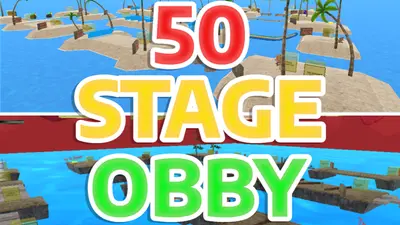
50 Stage Obby – Gorilla Tag Custom Map by Toxv
50 Stage Obby by Toxv: Complete 50 Stages Playing maps inpsired by forest. Load it via the Virtual Stump on Quest and PC.
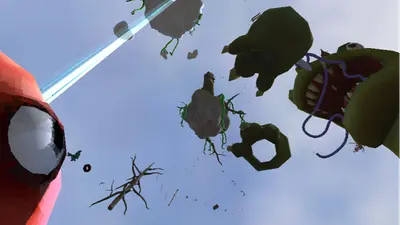
ABOVE THE CLOUDS (Only Up) – Gorilla Tag Custom Map by Plucky440
ABOVE THE CLOUDS (Only Up) by Plucky440: Above The Clouds is a big Only Up style map. Try and get to. Load it via the Virtual Stump on Quest and PC.
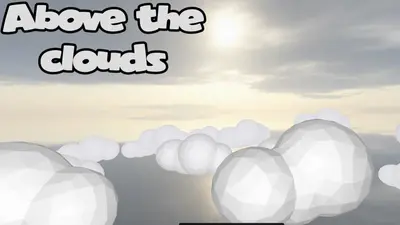
Above the Clouds (Knockout) – Gorilla Tag Gamemode by Sleam-and-Connor
Above the Clouds (Knockout) by Sleam-and-Connor: Land upon a Vast Expanse of Clouds and Punching. A Gorilla. Load it via the Virtual Stump on Quest and PC.