-Jungle Outpost- for Gorilla Tag — Download & Install Guide
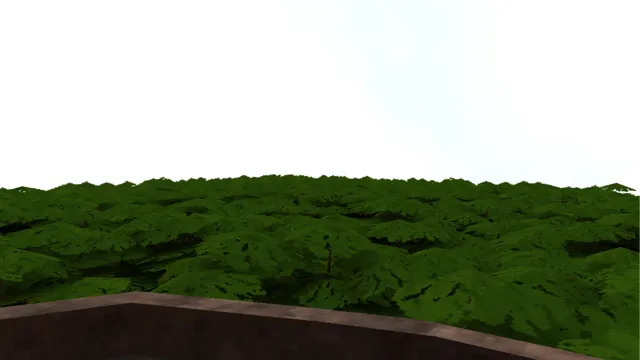
Mod Previews & Screenshots
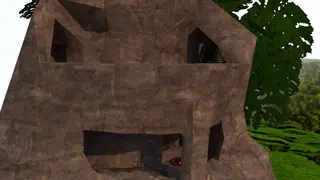
What Is -Jungle Outpost-?
The -Jungle Outpost- is a custom map and environment file designed for Gorilla Tag. While the vanilla game features highly detailed default zones like Forest, Caves, and Mountains, veteran players often seek new parkour structures and layouts. -Jungle Outpost- expands the game’s boundaries by loading a custom-built 3D arena.
This map features custom textures, physical obstacles, slide surfaces, and lighting grids. It provides a unique playground for tag matches, wall-running practice, and custom game modes. Jump into this new world to test your speed and movement skills against friends in custom servers.
What Does -Jungle Outpost- Add to Gorilla Tag?
- Custom 3D Geometry: Features tailored wall structures, platforms, slides, and obstacles for advanced parkour.
- Custom Environment Textures: Replaces default styles with high-contrast surfaces, custom skyboxes, and lighting.
- Multiplayer Custom Room Support: Join dedicated modded lobbies to play tag matches on this custom map.
- Seamless Loading Integration: Walk directly through your map loader portal in the treehouse to teleport.
Is -Jungle Outpost- Safe to Use?
Custom maps like -Jungle Outpost- are generally safe to play on. They are loaded in custom modded rooms, meaning you are separated from vanilla public queues, which minimizes ban risks. However, ensure that you only download verified map files ending in .gtmap or raw map content. Downloading maps from unknown sources can lead to game crashes or graphic corruption.
How to Install -Jungle Outpost- on Gorilla Tag
To cater to all setups, we have provided installation steps for both Steam PC VR configurations and standalone Meta Quest headsets.
On PC (Steam / VR Link)
- Ensure Monke Map Loader is installed and active in your BepInEx plugins.
- Download the map file using the download button below.
- Open your Gorilla Tag folder:
C:\Program Files (x86)\Steam\steamapps\common\Gorilla Tag\BepInEx\plugins\CustomMaps\. - Drag and drop the downloaded map file directly into the
CustomMapsdirectory. - Launch the game, stand in front of the computer terminal in the treehouse, select -Jungle Outpost-, and enter the portal.
On Meta Quest (Standalone)
- Ensure you have patched your Meta Quest using QuestPatcher.
- Connect your Quest headset to your computer via USB.
- Open QuestPatcher and select the “Custom Assets” or “Maps” section.
- Drag the Quest-compatible map file directly into the upload area to sync it.
- Launch Gorilla Tag standalone on your Quest and access the map portal in the treehouse.
Compatibility
-Jungle Outpost- is regularly updated to maintain compatibility with the latest Gorilla Tag patches. Always download files from verified official sources.
Works on:
- Meta Quest 2 / Quest 3 (Standalone via QuestPatcher)
- Steam VR (Valve Index, HTC Vive, Oculus Link)
Frequently Asked Questions
How do I load this custom map in-game?
Can I play this map with other players?
Why is the map lagging or causing my game to crash?
Download -Jungle Outpost-
[Download button is rendered by the Astro component from the downloadUrl frontmatter field]
Last updated: February 2026
Ready to Download?
Click below to go to the official verified repository for this mod. We only link to authorized releases on GitHub, mod.io, or Nexus Mods.
You Might Also Like
50 Stage Obby for Gorilla Tag — Download & Install Guide
Download 50 Stage Obby for Gorilla Tag for free. Read our step-by-step setup guide and access direct download links for maps.
ABOVE THE CLOUDS (Only Up) for Gorilla Tag — Download & Install Guide
Download ABOVE THE CLOUDS (Only Up) for Gorilla Tag for free. Read our step-by-step setup guide and access direct download links for maps.
Above the Clouds (Knockout) for Gorilla Tag — Download & Install Guide
Download Above the Clouds (Knockout) for Gorilla Tag for free. Read our step-by-step setup guide and access direct download links for maps.